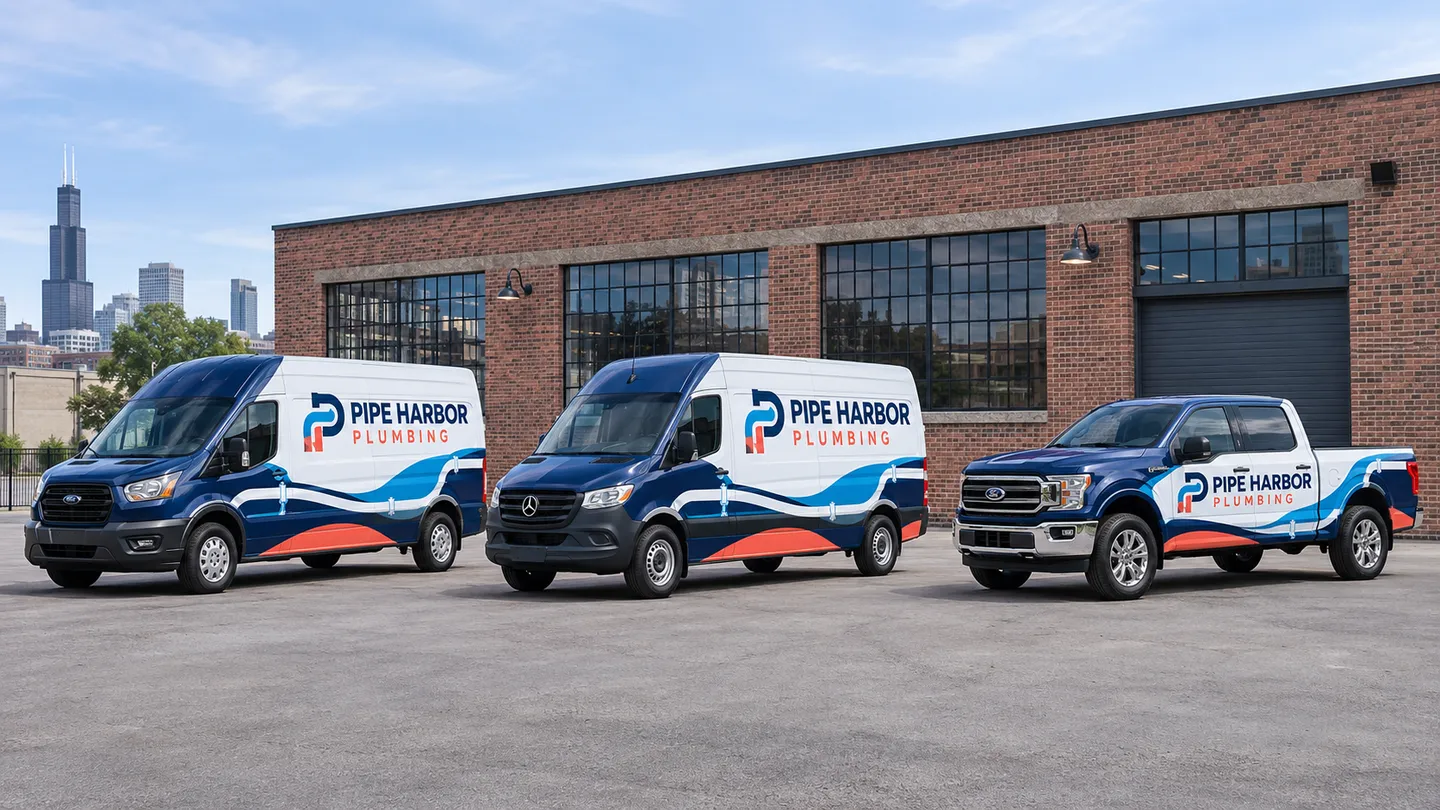
Separate the vehicle groups
Group vehicles by actual configuration and agreed graphics coverage. Two vans with the same model name can still have different roofs, doors or existing graphics. A row should describe the work being bought, not simply count vehicles with a shared badge.
Record the proposal or conversation that supplied each unit rate. If the supplier has not priced a group, leave it unpriced rather than borrowing a number from another body. The worksheet should make missing information visible before purchasing begins.
- Use a separate row for each approved scope.
- Label the source and date of each unit rate.
- Keep quantities linked to a current vehicle list.
Allocate the shared work once
Artwork development, brand cleanup and initial production setup may be shared across several vehicles. Ask whether the quoted first-vehicle price already includes those tasks before adding a second setup line. This avoids counting the same work in two places.
A useful internal comparison can show both project total and average cost per vehicle. The average spreads shared costs across the selected quantity; it does not mean a supplier will sell one vehicle at that average or repeat the original setup without charge.
- Identify setup already included in a unit rate.
- Distinguish initial artwork from later layout adaptations.
- Keep project totals alongside the per-vehicle average.
Give unresolved work an owner
Removal, surface repair, transportation and other exclusions need an agreed next step. List each unanswered item with the person who will obtain clarification. An exclusion is not automatically an extra charge, but it also cannot be assumed included because the total looks complete.
Use manufacturer technical information to identify questions about the proposed graphic construction. The supplier should confirm the exact product and application. Save the accepted budget with its scope revision so a later change in coverage is not mistaken for a price increase on identical work.
- Keep unknown values out of the priced subtotal.
- Ask for revised pricing when scope changes.
- Retain the accepted revision and clarification messages.
Keep a working record
Before you approve the next step
- Confirm every vehicle group and quantity.
- Attach the pricing source to each row.
- Identify shared charges already included.
- List unknown removal and preparation costs.
- Name the person resolving each exclusion.
- Save the accepted budget and scope together.
Use the free planning tool to organize the details you can confirm and the questions still open.
Four questions before the next step
Is an average vehicle cost a supplier quote?
No. It is a calculation from your selected quantities and supplied prices. Shared charges can make the average different from the price of a single vehicle.
Read the detailed guide: Build a fleet wrap budget without hiding the unknowns
Should I enter zero for a cost that is not known?
Use the tool’s unpriced treatment and record the open question. Zero should not be interpreted as a supplier agreeing to perform that work free.
Read the detailed guide: Build a fleet wrap budget without hiding the unknowns
Does full coverage automatically communicate more clearly?
No. Clarity depends on hierarchy, placement and the actual vehicle. Additional coverage can help a design, but it is not a substitute for deciding what the message should say.
Read the detailed guide: Compare lettering, partial graphics and full wraps fairly
Can the budget planner choose the best option?
It can show the totals produced by your own inputs. The purchasing decision still needs review of coverage, evidence, vehicle condition and the included work.
Read the detailed guide: Compare lettering, partial graphics and full wraps fairly
Original technical sources
Use the linked publisher's current instructions for the exact product and vehicle. This planning guide does not replace its application, safety or warranty requirements.